
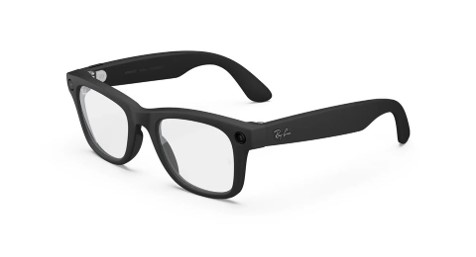
Smart glasses, like Meta Glasses and EchoVision Glasses from AGIGA, are becoming an increasingly mainstream technology. These glasses can be an immensely useful tool for people with vision loss, even models that were not originally designed as an assistive technology. But as they become more widely used, misconceptions about what they can and can’t do continue to grow. Smart glasses are not magical; to get the most out them, it’s important to understand their limitations.
Smart glasses are worn on your face like sunglasses and use AI, a camera, speakers and a microphone to perform a variety of tasks. They can do many of the same things as your smartphone but with the advantage of being hands-free. They are great for tasks that involve reading written materials, like a piece of mail or a restaurant menu at a restaurant. Coupled with smartphone apps, the glasses can scan and analyze what the camera sees, allowing you to not only read paper documents but also, for example, identify products in a grocery store. Smart glasses will not automatically control smartphone apps, so the wearer must be a confident smartphone user to benefit from these features.
It’s important to recognize that smart glasses cannot provide real-time descriptions of what’s in their view. The glasses work by taking a snapshot of what the camera sees, sending that snapshot to a server, and using AI to identify the object. It can take five to ten seconds for the computer inside the glasses to read the description back to you. That’s why smart glasses can’t replace a cane or other mobility device. If you’re in a busy store, it may be able to tell you that a box or shopping cart is blocking part of the aisle, but it won’t help you navigate around it. Or if you enter a building, the glasses can tell you its basic layout, but not how to move around things like chairs and desks. These glasses can connect with a service like Be My Eyes or AIRA, which can provide some navigation instruction but should not be relied on as your only navigational tool. You must be conscious of your environment and continue to use your white cane or other mobility device.
Because smart glasses heavily rely on AI, be mindful that the results may not always be completely accurate. This is especially true for recipes and directions, as AI can sometimes hallucinate steps and ingredients that are not actually listed in the recipe. Vision Forward recently released a video comparing the reading ability Meta Glasses and EchoVision glasses that demonstrates some of these hallucinations. You can find the video on Vision Forward’s Tech Connect YouTube channel.
If you already wear glasses, smart glasses can be fitted with prescription lenses. Additionally, smart glasses work with some, but not all, hearing aids. If you use hearing aids, be sure to test the glasses before making a purchase.
Smart glasses can be a great tool for blind and low vision users, but if you don’t know their limitations you may end up spending hundreds of dollars for a frustrating experience. If you have questions about smart glasses, or if you want to improve your smartphone skills to make better use of the glasses, the Council may be able to help. Contact Access Technology Specialist Jim Denham at [email protected] to set up an access technology appointment or contact our Vision Services team at WCBlind.org/Who-We-Are/Vision-Services-Requests.